 OH HAI[/caption]
When you’re on your PC, open Spyno by clicking on him at the top right of Chrome:
[caption id=”attachment_252” align=”aligncenter” width=”76”] OH HAI[/caption]
But what if you’re not at your PC? Visit your Public URL, of course!
Here’s how you get the Public URL for your Spyno page:
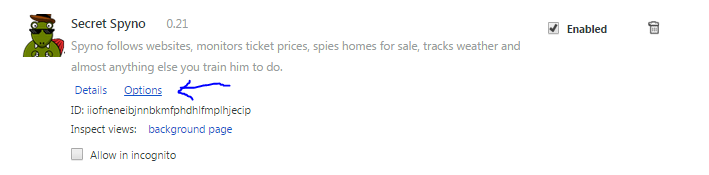 Click[/caption]4. Scroll to the bottom. Click “Get code”: [caption id=”attachment_255” align=”alignnone” width=”300”]
 Click[/caption]
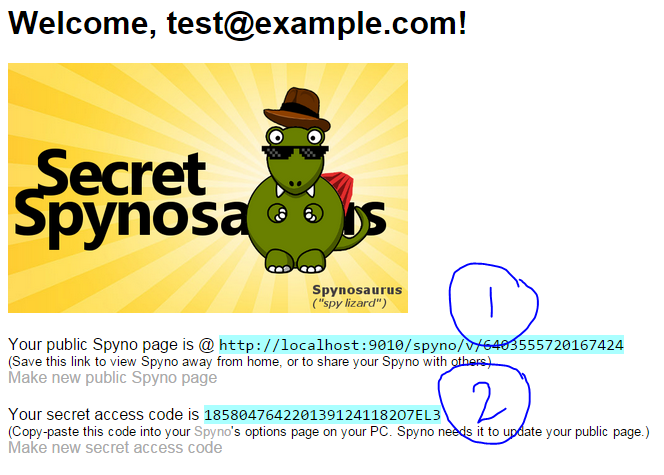 The link marked (1) is your public URL. Send that to your phone to view Spyno from your phone. Copy the code marked (2) to your PC’s Spyno option page. Spyno uses that code to update your public page.[/caption] [caption id=”attachment_258” align=”alignnone” width=”300”]
 Paste your code here and click Save[/caption]
Now you can take Spyno with you anywhere.